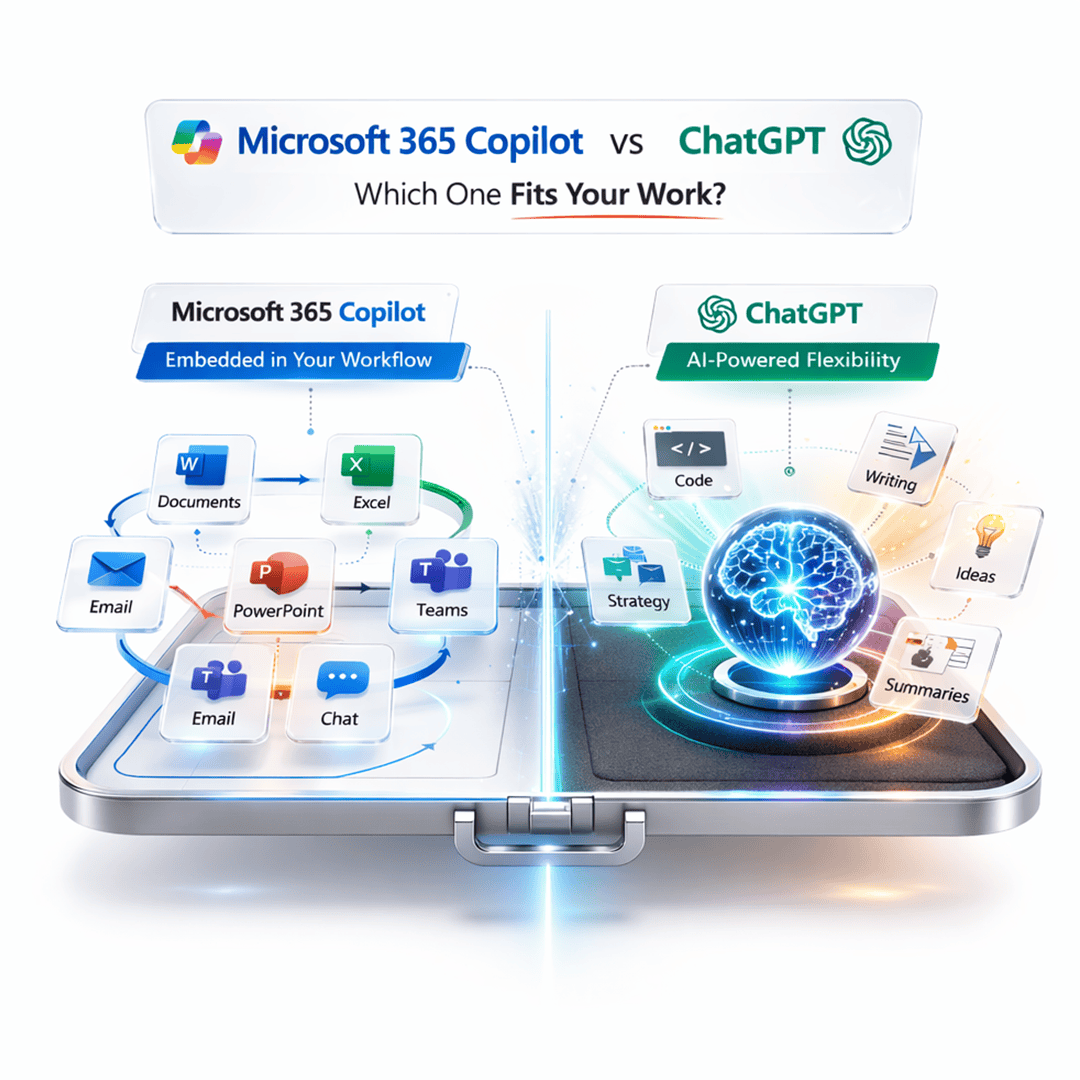
Microsoft 365 Copilot vs ChatGPT | Which One Is Actually Right for You?

Microsoft 365 Copilot vs ChatGPT - Which One is Best?
You’ve probably heard both names thrown around in every tech conversation lately, Microsoft 365 Copilot and ChatGPT. They’re both AI assistants. They’re both powered by large language models. And they both promise to save you hours every week.
But here’s the thing: they’re built for very different people and purposes, and picking the wrong one could mean paying for features you never use, or missing the ones you desperately need.
So let’s cut through the noise. This is a real, side-by-side comparison of Microsoft 365 Copilot vs ChatGPT, covering pricing, features, integrations, real-world use cases, and which one comes out ahead for your specific situation.
What Is Microsoft 365 Copilot, Exactly?
Microsoft 365 Copilot (often just called “Copilot for Microsoft 365”) is an AI assistant that lives inside your Microsoft apps, Word, Excel, PowerPoint, Outlook, Teams, and more. It’s tightly woven into the tools millions of people already use at work every day.
Think of it less like a standalone chatbot and more like a smart coworker sitting next to you in every Microsoft app, knowing your emails, your files, your meetings, and your documents.
It’s powered by the same underlying technology as ChatGPT (OpenAI’s GPT-4), but Microsoft has layered it with something called Microsoft Graph, which gives it access to your actual organizational data: your calendar, emails, Teams chats, SharePoint files, and more.
Who makes it? Microsoft, in partnership with OpenAI.
Best for: Business professionals, enterprises, and teams already using Microsoft 365.
Pricing: $30/user/month (on top of a qualifying Microsoft 365 business plan).
What Is ChatGPT, Exactly?
ChatGPT is OpenAI’s flagship conversational AI, a standalone product you access through a web browser, mobile app, or API. It’s the one that started the mainstream AI gold rush when it launched in late 2022.
ChatGPT comes in a free tier and a paid tier (ChatGPT Plus at $20/month), with access to GPT-4o, OpenAI’s most capable model. It can browse the web, generate images with DALL·E, write code, analyze files, and hold complex multi-step conversations.
Unlike Copilot, ChatGPT isn’t natively embedded in your productivity apps. It’s a separate window you switch to. But what it lacks in native integration, it makes up for in raw flexibility and capability.
Who makes it? OpenAI.
Best for: Individuals, creators, developers, students, and businesses that want a general-purpose AI powerhouse.
Pricing: Free (GPT-3.5) / $20/month for ChatGPT Plus / $25/user/month for ChatGPT Team.
Microsoft 365 Copilot vs ChatGPT: The Key Differences
Feature | Microsoft 365 Copilot | ChatGPT (Plus) |
Base Price | $30/user/month + M365 plan | $20/month |
Powered By | GPT-4 + Microsoft Graph | GPT-4o |
App Integration | Deep (Word, Excel, Teams, etc.) | Limited (via plugins/API) |
Access to Your Data | Yes (emails, files, calendar) | Only what you upload |
Web Browsing | Yes | Yes |
Image Generation | Yes (via Designer) | Yes (DALL·E 3) |
Code Interpreter | Via GitHub Copilot | Yes (built-in) |
Standalone App | No (embedded in M365) | Yes |
Free Tier | No | Yes |
Custom GPTs / Agents | Yes (Copilot Studio) | Yes (GPT Builder) |
Enterprise Security | Yes (data doesn’t train OpenAI models) | Yes (Enterprise plan) |
Choose the Right AI Tool for Your Business
Not sure whether Microsoft 365 Copilot or ChatGPT fits your workflow? Our experts can help you align AI tools with your productivity and security needs.
Digging Deeper: Feature-by-Feature Breakdown
1. Context Awareness and Your Personal Data
This is where Microsoft 365 Copilot has a huge structural advantage, and it’s the whole point of the product.
Because Copilot connects to Microsoft Graph, it knows things like:
- “What did we discuss in last Tuesday’s Teams meeting?”
- “Summarize the emails from my manager this week.”
- “Find all the documents related to Project Phoenix.”
- “Draft a response to Sarah based on our email thread.”
ChatGPT simply can’t do this out of the box. You’d have to manually copy-paste your emails or upload your documents for every single conversation. That friction is a dealbreaker for heavy professional users.
Winner: Microsoft 365 Copilot (for anyone who lives in Outlook/Teams/SharePoint)
2. Raw AI Intelligence and Versatility
Both tools are powered by GPT-4-class models, but in practice, ChatGPT (Plus) with GPT-4o tends to feel more capable for complex reasoning, creative writing, coding, and nuanced tasks.
Why? Because ChatGPT is a dedicated, optimized AI interface. The Copilot experience is filtered through Microsoft’s product design and business use cases, which can sometimes feel more constrained. ChatGPT also gets OpenAI model updates faster.
ChatGPT can also:
- Analyze uploaded CSV files and create charts
- Run Python code in a sandbox environment
- Build multi-step custom GPTs for specialized tasks
- Generate detailed images with DALL·E 3
ChatGPT Plus users also get access to o1 and o3 reasoning models, OpenAI’s most powerful models for complex logical and mathematical tasks, something Copilot doesn’t offer.
Winner: ChatGPT (for raw capability and versatility)
3. Microsoft 365 App-Specific Features
This is Copilot’s home turf. Here’s what it can actually do inside each app:
In Word:
- Draft entire documents from a brief prompt
- Summarize long documents
- Rewrite, tone-adjust, and improve existing text
- Generate content with context from your other M365 files
In Excel:
- Generate formulas from plain English (“calculate year-over-year growth”)
- Identify trends and anomalies in your data
- Create pivot tables and charts on demand
- Explain what a complex formula does
In PowerPoint:
- Generate complete slide decks from a prompt or Word document
- Design layouts and suggest visuals
- Convert Word documents into presentations automatically
In Outlook:
- Summarize long email threads
- Draft replies in your tone
- Prioritize and categorize your inbox
- Prepare for meetings with email context
In Teams:
- Summarize meeting transcripts (even if you missed the meeting)
- Capture action items automatically
- Answer questions about things discussed in past chats
- Recap what was said while you were on mute
ChatGPT doesn’t touch any of this natively. There are third-party integrations and workarounds, but nothing as seamless.
Winner: Microsoft 365 Copilot (by a mile, for M365 users)
4. Pricing: What Are You Actually Paying For?
Let’s be direct about the cost comparison because it’s one of the biggest questions people have.
ChatGPT Plus: $20/month
- Access to GPT-4o (the flagship model)
- Web browsing, DALL·E image generation, file analysis
- Code interpreter
- Access to advanced reasoning models (o1, o3)
- Custom GPTs and GPT Store
- No workplace data integration
Microsoft 365 Copilot: $30/user/month
- Requires an existing Microsoft 365 Business Standard or higher plan ($12.50–$22/user/month)
- Total effective cost: $42.50–$52/user/month per person
- Deep integration with all M365 apps
- Uses your organizational data via Microsoft Graph
- Enterprise-grade security and compliance
- Copilot Studio for building custom AI agents
If you’re a solo user or freelancer, ChatGPT at $20/month is a no-brainer for the value. If you’re running a business team that’s already paying for Microsoft 365, Copilot’s $30 add-on becomes a legitimate productivity investment with measurable ROI.
Winner: ChatGPT (for individual cost-efficiency) / Copilot (for enterprise value per workflow saved)
5. Privacy and Enterprise Security
Both companies have enterprise offerings with strong security commitments, but there are important nuances.
- Your data stays within your Microsoft 365 tenant
- Does not use your data to train OpenAI’s models
- Inherits Microsoft’s enterprise compliance certifications (ISO 27001, SOC 2, HIPAA, GDPR)
- Respects your existing Microsoft permissions, Copilot only accesses what you already have access to
ChatGPT:
- Free/Plus tier: Conversations may be used to train models (you can opt out)
- ChatGPT Team and Enterprise: Data is not used for training, encrypted in transit and at rest
- ChatGPT Enterprise also includes SSO, custom data retention controls
For regulated industries (healthcare, finance, legal), Microsoft 365 Copilot is generally the safer, more auditable choice. For small teams or individuals, ChatGPT Team is more than sufficient.
Winner: Microsoft 365 Copilot (for enterprise/regulated environments)
6. Ease of Use for Non-Technical People
ChatGPT wins this one. You go to chat.openai.com, type something, and get an answer. The interface is clean, intuitive, and accessible to complete beginners. There’s nothing to configure.
Microsoft 365 Copilot requires:
- An existing M365 account and subscription
- IT admin setup and deployment
- Learning where Copilot lives in each individual app (it varies between Word, Teams, Outlook, etc.)
For everyday users without IT support, ChatGPT is dramatically easier to get value from on day one.
Winner: ChatGPT (for simplicity and accessibility)
7. Coding and Developer Use Cases
If you’re a developer, neither ChatGPT Plus nor Microsoft 365 Copilot is your primary coding tool. But since we’re comparing them:
- ChatGPT Plus can write, debug, explain, and run code in its built-in environment. It’s genuinely useful for developers who want a conversational coding partner.
- Microsoft 365 Copilot focuses on productivity apps, not development. For coding, Microsoft’s answer is GitHub Copilot (a separate product, $10/month for individuals).
If coding is your main use case, look at ChatGPT Plus or GitHub Copilot specifically, both leave Microsoft 365 Copilot behind.
Winner: ChatGPT (for general coding tasks in a consumer context)
Who Should Use Which? Real-World Scenarios
“I’m a knowledge worker at a mid-sized company already using Teams and Outlook.”
- Microsoft 365 Copilot. This is the use case it was built for. If you’re spending hours summarizing emails, sitting through meetings, or formatting PowerPoints, Copilot will pay for itself faster than you’d expect.
“I’m a freelance writer, marketer, or content creator.”
- ChatGPT Plus. More creative freedom, better image generation, faster model access, and $10/month cheaper. You don’t need the Microsoft integration, you need a versatile creative partner.
“I’m a student on a tight budget.”
- ChatGPT Free, or Plus if you can swing $20/month. ChatGPT’s free tier is surprisingly capable for writing, research, and studying. Microsoft 365 Copilot isn’t available to most students without an institutional enterprise license.
“I run a small business with a team of 5–10 people.”
- Depends. If you’re already on Microsoft 365 and your team lives in Teams/Outlook, Copilot is worth the investment. If you’re not on M365, ChatGPT Team ($25/user/month) is a simpler, cheaper choice.
“I work in a regulated industry like healthcare or legal.”
- Microsoft 365 Copilot (with enterprise license) or ChatGPT Enterprise. Both have the compliance certifications you need. Copilot has the edge if you’re already in the Microsoft ecosystem.
“I just want to experiment with AI and see what it can do.”
ChatGPT Free. Start there. It’s free, it’s impressive, and there’s no risk.
The Verdict: Microsoft 365 Copilot vs ChatGPT
There’s no universal winner here, and anyone who tells you otherwise is selling something.
Choose Microsoft 365 Copilot if:
- You and your team already use Microsoft 365 apps daily
- You want AI deeply embedded in Word, Excel, Teams, and Outlook
- Data privacy within your company’s Microsoft tenant matters to you
- You’re willing to invest more per user for genuine workflow transformation
Choose ChatGPT if:
- You want the most powerful, versatile standalone AI assistant available
- You’re an individual, creator, developer, or student
- Budget matters and you want maximum capability per dollar
- You don’t rely on Microsoft’s productivity suite
The honest truth? Most power users will benefit from both. Many professionals use Microsoft 365 Copilot inside their work tools and switch to ChatGPT when they need creative writing, complex reasoning, image generation, or development tasks. They’re complementary, not mutually exclusive.
Key Questions Answered
Is Microsoft Copilot the same as ChatGPT?
No, though they share DNA. Both use OpenAI’s GPT-4 technology under the hood, but Microsoft Copilot (specifically Microsoft 365 Copilot) is a product built by Microsoft that’s embedded in Microsoft 365 apps. It connects to your organizational data through Microsoft Graph. ChatGPT is OpenAI’s standalone product. They’re different applications of similar underlying AI technology.
Is Microsoft 365 Copilot worth $30/month?
It depends entirely on your workflow. If you’re spending even 2–3 hours per week on tasks Copilot can automate, like meeting summaries, email drafts, slide decks, or data analysis in Excel, the ROI is there. For a professional billing $100+/hour, saving even an hour a week more than covers the cost. For light users, it probably isn’t worth it.
Can ChatGPT access my Outlook emails or Teams messages?
Not natively. ChatGPT has no direct connection to your Microsoft 365 account. You’d have to manually paste email content or upload files. There are some third-party integrations and plugins, but nothing as seamless as Microsoft 365 Copilot’s native access.
Which is better for writing, Copilot or ChatGPT?
For general writing tasks, blog posts, essays, creative content, ChatGPT tends to produce more natural, flexible output. For writing tasks within Microsoft apps (drafting emails in Outlook, writing reports in Word with context from your company files), Copilot’s contextual awareness gives it an edge. It’s a question of context.
Is Copilot free with Microsoft 365?
No. Microsoft 365 Copilot is a paid add-on that costs $30/user/month on top of a qualifying Microsoft 365 plan. There is a free, lighter version called “Copilot” built into Windows and Bing, but Microsoft 365 Copilot (the one integrated into Teams, Outlook, Word, etc.) requires a separate subscription.
Is ChatGPT better than Microsoft Copilot for coding?
For general coding tasks, ChatGPT Plus is better because of its built-in code interpreter, broader model access (including o1/o3 reasoning models), and flexibility. Microsoft’s dedicated coding product is GitHub Copilot (separate from Microsoft 365 Copilot), which integrates directly into IDEs like VS Code and is the industry standard for developer productivity.

Hannah Bryant
Hannah Bryant is the Strategic Partnerships Manager at Techverx, where she leads initiatives that strengthen relationships with global clients and partners. With over a decade of experience in SaaS and B2B marketing, she drives integrated go-to-market strategies that enhance brand visibility, foster collaboration, and accelerate business growth.
Hiring engineers?
Reduce hiring costs by up to 70% and shorten your recruitment cycle from 40–50 days with Techverx’s team augmentation services.
Related blogs