Table Of Content
Vibe Coding with GitHub Copilot: 7 Powerful Ways to Transform Your Workflow

What Is Vibe Coding? A Clear Definition
Vibe coding is not a specific tool, framework, or language. It’s a development philosophy, a shift in how programmers relate to code generation.
Traditionally, writing software means translating an idea through several layers: design, architecture, language syntax, debugging, testing. Each layer requires focused, deliberate effort. Vibe coding compresses that process by handing the translation work to an AI agent. The developer’s job shifts from writing every line to directing, reviewing, and refining what the AI produces.
Think of it as the difference between driving and navigating. You still control the destination and the route. But someone else handles the wheel.
In 2025, GitHub Copilot’s Agent Mode is one of the most capable tools for doing this, because it doesn’t just suggest code, it actually takes action across your entire project.
There’s a shift happening in custom software development, quiet, fast, and already reshaping how code gets written. Developers aren’t just typing faster. They’re thinking differently. And at the center of it is a workflow called vibe coding with GitHub Copilot.
The term was coined by Andrej Karpathy in early 2025 to describe a style of development where you stop wrestling with syntax and start directing ideas. You describe what you want. GitHub Copilot builds it. The barrier between thinking and building collapses, and what’s left is creative momentum.
This isn’t autocomplete. This is a fundamentally different relationship between a developer and their tools.
What Is Vibe Coding with GitHub Copilot?
Vibe coding with copilot is more than just using AI to autocomplete lines of code. It’s a modern development style where intuition, rhythm, and artificial intelligence blend into one smooth workflow. Instead of staring at a blank screen, developers begin with momentum. They type a thought, and the AI expands it. They sketch logic, and the system refines it.
At its core, vibe coding with copilot means coding in a state of flow while an intelligent assistant supports every step. It feels less mechanical and more creative. Developers don’t just write syntax; they shape ideas rapidly.
The concept gained traction as AI tools like GitHub Copilot emerged. These tools act like real-time pair programmers. According to GitHub’s official research, developers complete tasks significantly faster when assisted by AI. But speed is only part of the story.
The Psychology Behind the "Vibe"
When developers talk about being “in the zone,” they’re describing flow state, the mental condition where focus is total and output is effortless. Vibe coding with GitHub Copilot is designed around protecting that state.
Traditional coding constantly breaks flow: tab-switching to documentation, debugging minor syntax errors, writing repetitive boilerplate from memory. Copilot eliminates most of that friction. You keep typing. It keeps building. The process starts to feel less mechanical and more conversational, and that shift has a measurable impact on what gets created.
How GitHub Copilot Changes the Coding Experience
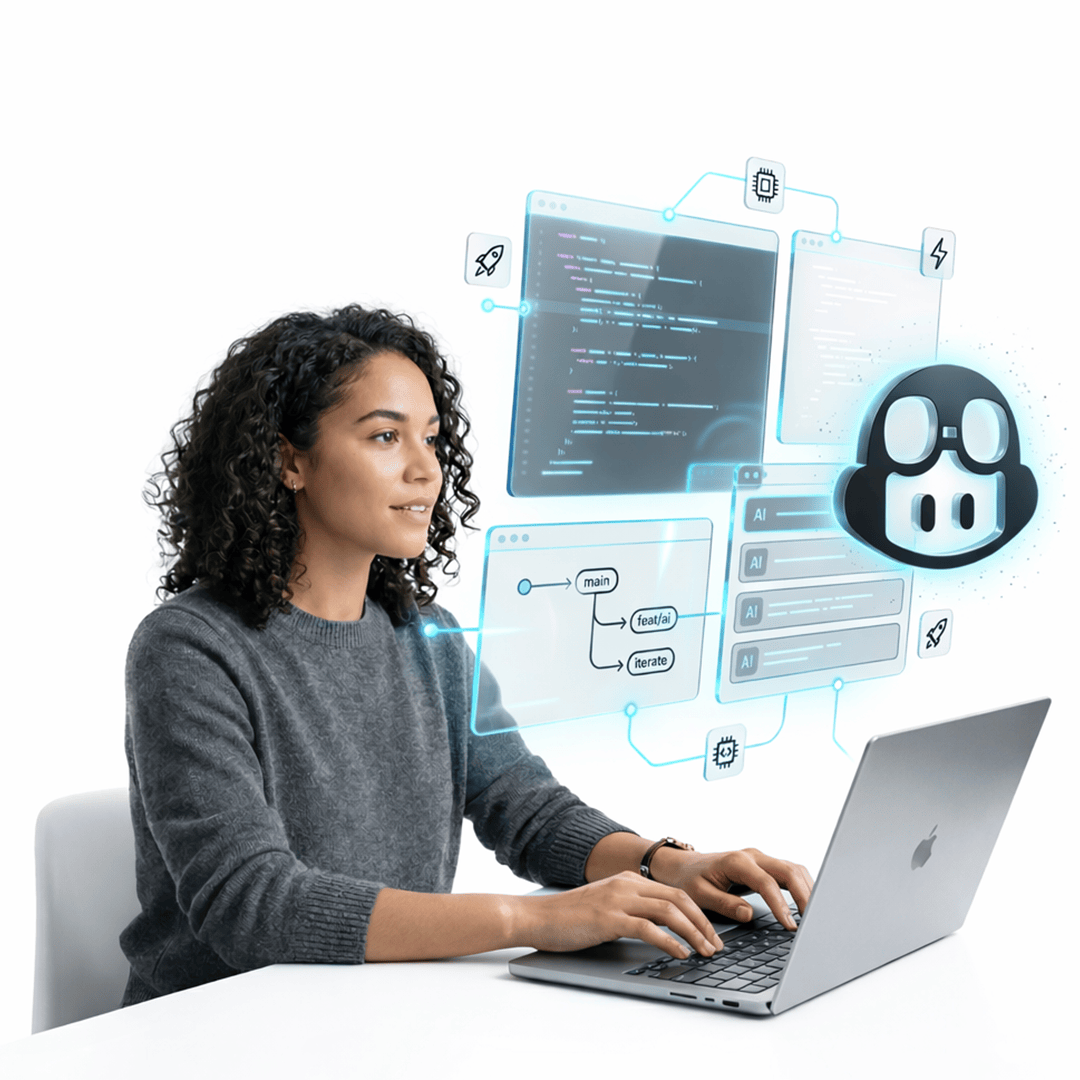
GitHub Copilot reads your project context and predicts what you need before you ask for it. In Agent Mode, the core of vibe coding, it goes further: it reads files across your repository, writes new ones, runs terminal commands, and self-corrects when errors surface. You’re not alone at the keyboard anymore. You have an intelligent partner that knows your codebase.
Why Developers Are Embracing Vibe Coding with GitHub Copilot
The adoption of vibe coding with GitHub Copilot isn’t a trend driven by novelty. It solves specific, persistent pain points that slow developers down every single day.
From Manual to AI-Assisted Coding
Traditional development was repetitive by nature. CRUD operations, boilerplate configuration, form validation logic, these structures consumed hours that could have gone toward architecture and problem-solving. GitHub Copilot code generation handles these tasks instantly. Developers describe the structure; Copilot builds it.
The shift isn’t about removing the developer from the process. It’s about removing the parts of the process that never required a developer in the first place.
The Rise of Intelligent AI Pair Programming
Pair programming, two developers at one machine, has always produced better code than solo work. The problem is it’s expensive in time and resources. AI pair programming with GitHub Copilot delivers the same benefit at scale. Copilot suggests alternatives, improves readability, flags potential issues, and explains its own logic, exactly what a skilled pair programmer does, available on every task, for every developer on your team.
7 Powerful Benefits of Vibe Coding with GitHub Copilot
1. Faster Code Generation
The most visible benefit of vibe coding with GitHub Copilot is speed. Functions that once took 20 minutes get scaffolded in seconds. But the real gain isn’t raw velocity, it’s the elimination of delay. Developers stay focused on logic rather than spending cycles on syntax they already know.
2. Reduced Cognitive Load
Coding demands intense, sustained focus. When developers have to hold too many things in working memory simultaneously, syntax, logic, structure, edge cases, quality drops. GitHub Copilot’s context-aware suggestions reduce that mental strain by handling routine structures automatically, freeing cognitive bandwidth for the decisions that actually require it.
3. Better Code Quality Through Pattern Recognition
GitHub Copilot is trained on an enormous breadth of real-world codebases. In practice, this means it often suggests cleaner patterns, more idiomatic structures, and better-organized logic than a first-pass manual implementation would produce. The baseline quality of AI-assisted code, when reviewed, is consistently higher than boilerplate written under time pressure.
4. Learning While Building
For developers working in an unfamiliar stack, vibe coding with GitHub Copilot functions as an embedded mentor. Reviewing Copilot’s generated code, how it structures an Express route, how it handles state in React, how it models a database schema, teaches real patterns in real context. This is active, project-based learning rather than passive tutorial consumption.
5. Enhanced Creativity Through Reduced Risk
When technical barriers are lower, experimentation becomes less costly. Developers using GitHub Copilot in VS Code try new frameworks, explore different architectural patterns, and test approaches they’d previously have skipped due to time constraints. Vibe coding doesn’t just accelerate what you already planned, it expands what you’re willing to attempt.
6. Improved Team Collaboration and Consistency
When teams share a GitHub Copilot custom instructions file (copilot-instructions.md), AI-assisted coding produces consistent output across every developer. Code style, file structure, naming conventions, and error handling patterns stay aligned, not because of discipline, but because the AI is operating from the same brief for everyone. Consistency becomes structural rather than aspirational.
7. Continuous, Real-Time Feedback Loop
GitHub Copilot doesn’t wait for a code review to surface improvements. During a vibe coding session, it flags potential issues, suggests better approaches, and catches errors as they’re introduced. This turns development into a continuous improvement loop rather than a write-then-review cycle, and that shift catches problems at the cheapest possible moment.
GitHub Copilot Agent Mode: What It Actually Does
Before we get into the experiment, it’s worth being precise about what GitHub Copilot Agent Mode is, because it’s fundamentally different from the inline autocomplete or chat features most developers are already familiar with.
Feature | Copilot Autocomplete / Chat | Copilot Agent Mode |
Scope | Current file or selection | Entire repository |
Action | Suggests code | Reads, writes, and runs code |
Terminal access | ❌ | ✅ Executes commands |
Error handling | ❌ | ✅ Sees errors and self-corrects |
Multi-file edits | ❌ | ✅ Refactors across the codebase |
GitHub issue integration | ❌ | ✅ Accepts and acts on assigned issues |
Pull request creation | ❌ | ✅ Pushes draft PRs with session logs |
Custom instructions | Limited | ✅ Via AGENTS.md and copilot-instructions.md |
When you switch Copilot Chat to Agent mode in VS Code or JetBrains, you’re giving it a fundamentally different level of access. It can open files, edit them, run your test suite in the terminal, read the output, and decide what to fix next. It’s autonomous in a way that basic Copilot completions are not.
This is the feature set that makes vibe coding genuinely possible, not just for simple scripts, but for multi-file applications with real dependencies.
How to Start Vibe Coding with GitHub Copilot
Choosing the Right Environment
GitHub Copilot Agent Mode is available in VS Code and supported JetBrains IDEs (IntelliJ, PyCharm, WebStorm). VS Code offers the most mature integration and is the recommended starting point. You’ll need a GitHub Copilot Pro or Pro+ subscription, once the extension is installed and Agent Mode is selected in the Copilot Chat panel, you’re ready to vibe code.
Writing Better Prompts for GitHub Copilot
The quality of what GitHub Copilot produces is almost entirely determined by the quality of your prompt. Effective GitHub Copilot prompt engineering follows a few core principles:
- Describe the outcome, not the implementation:“Build an API endpoint that returns user profile data filtered by ID” outperforms “write a GET function.”
- State your stack and constraints upfront: Language, framework, and any architectural limitations should appear in your first prompt.
- Use copilot-instructions.md for standing context: Store your project’s tech stack, file conventions, and coding standards in .github/copilot-instructions.md so Copilot reads them automatically every session, no repetition required.
Plan before large features. For multi-file changes, ask Copilot to describe its approach before writing code. Review the plan, adjust if needed, then proceed.
Best Practices for Sustainable AI-Assisted Development
Productivity gains are only valuable if the code you ship is solid. These practices ensure vibe coding with GitHub Copilot stays responsible:
Practice | Why It Matters |
Always review generated code | AI can produce plausible-but-wrong logic; human judgment is the final check |
Test generated code thoroughly | Unit and integration tests catch edge cases AI doesn’t anticipate |
Review security-sensitive logic manually | Auth, input validation, and API handling need a human security pass |
Use copilot-instructions.md | Keeps Copilot aligned with your standards across every session |
Reset when Copilot loops | If the agent repeats a broken fix, redirect with a strategy reset prompt rather than retrying |
Common Challenges and How to Overcome Them
Overreliance on AI suggestions: The solution is framing: treat GitHub Copilot as an expert collaborator whose output you always review, not an authority whose output you always accept. Every suggestion is a proposal, not a decision.
Occasional inaccuracies and hallucinations: For libraries or APIs released after Copilot’s training cutoff, it can generate code that doesn’t exist. When working with cutting-edge dependencies, verify generated code against actual documentation.
Security gaps in generated code: AI-generated code reflects the patterns it was trained on, which doesn’t automatically include your organization’s security policies. Authentication flows, input sanitization, and data handling require explicit human review before production deployment.
Real-World Applications Across Industries
Vibe coding with GitHub Copilot is producing real results well beyond individual developer workflows. Teams across industries are using it to build:
- SaaS platforms, rapid feature development without expanding headcount
- Internal dashboards and automation tools, prototyped and shipped by small teams in days
- API integrations, connected services scaffolded from natural language descriptions
- Machine learning pipelines, data preprocessing and model evaluation code generated from plain English specifications
For teams where time-to-market determines competitive position, the ability to move from intent to working code without the usual scaffolding overhead is a meaningful strategic advantage. If you’re exploring how to bring this kind of AI-augmented development workflow into your team’s real projects, our software development services at Techverx are built around exactly this model, not as a demo, but as a daily practice.
Vibe Code Faster with GitHub Copilot
Boost developer efficiency, automate repetitive tasks, and focus on solving high-value challenges with AI-assisted coding.
The Future of Vibe Coding with GitHub Copilot
GitHub Copilot is already moving from file-level assistance to architecture-level reasoning. MCP (Model Context Protocol) support, introduced in April 2025, allows Copilot to connect to external services, live databases, and project management tools within a single agent session. GitHub issue assignment, where Copilot autonomously implements, tests, and opens a pull request from a ticket, is already in production use.
The direction is clear: AI agents will move from assisting individual lines of code to reasoning across entire systems. Human creativity, judgment, and architectural thinking remain central. Vibe coding with GitHub Copilot enhances developer talent, it doesn’t replace it.
To explore how our engineering teams are integrating these capabilities into production workflows today, visit our AI development services page.
Final Words
Vibe coding with GitHub Copilot isn’t a shortcut. It’s a smarter way to work, one that removes the friction between an idea and its implementation without removing the judgment that makes software good.
It gives developers speed without sacrificing quality, creativity without sacrificing standards, and momentum without sacrificing control. When used with clear prompts, disciplined review, and proper project context, it becomes less a productivity tool and more a creative amplifier.
The future of software development isn’t a choice between human skill and artificial intelligence. It’s what happens when both work together in rhythm, and that rhythm is exactly what vibe coding with GitHub Copilot makes possible.
Ready to bring AI-assisted development into your team’s real workflow? Get in touch with Techverx, we’d love to help you build faster and smarter.
FAQs - Vibe Coding With Github Copilot
Is vibe coding with GitHub Copilot suitable for beginners?
Yes. GitHub Copilot’s generated code and explanations expose beginners to real patterns and best practices in context. That said, understanding programming fundamentals still matters, it’s what enables you to evaluate Copilot’s output critically rather than accepting it blindly.
Does vibe coding with GitHub Copilot replace developers?
No. It replaces the repetitive, low-judgment parts of development, boilerplate, scaffolding, syntax lookup, and amplifies the high-judgment parts: architecture, problem-solving, security decisions, and creative direction. The developer remains essential.
What is the difference between GitHub Copilot Agent Mode and regular Copilot?
Regular Copilot offers inline completions and file-level chat. Agent Mode is autonomous, it reads and writes files across your entire project, runs terminal commands, reads error output, and iterates until a task is complete. Agent Mode is the foundation of vibe coding with GitHub Copilot.
Can vibe coding with GitHub Copilot improve team productivity?
Significantly. Teams using shared copilot-instructions.md files and structured prompting workflows report faster feature delivery, fewer minor bugs, and more consistent code quality across developers.
Is the code generated by GitHub Copilot secure?
It can be, but security is not automatic. Generated code should always be reviewed for vulnerabilities, especially in authentication, data handling, and API integration logic. Never ship AI-generated security-sensitive code without a dedicated human review pass.
How do I make GitHub Copilot suggestions more accurate?
Use clear, outcome-focused prompts. Maintain a copilot-instructions.md file with your stack and conventions. Break large tasks into single-feature prompts. And when the agent produces something off-target, describe the gap precisely rather than retrying the same prompt.

Hannah Bryant
Hannah Bryant is the Strategic Partnerships Manager at Techverx, where she leads initiatives that strengthen relationships with global clients and partners. With over a decade of experience in SaaS and B2B marketing, she drives integrated go-to-market strategies that enhance brand visibility, foster collaboration, and accelerate business growth.
Hiring engineers?
Reduce hiring costs by up to 70% and shorten your recruitment cycle from 40–50 days with Techverx’s team augmentation services.
Related blogs