
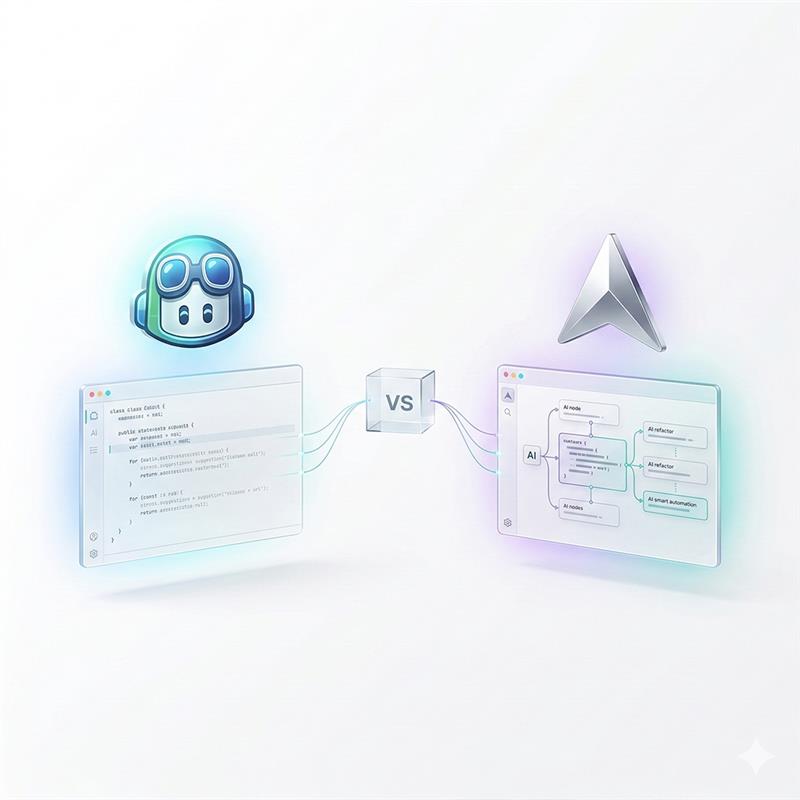
Cursor AI vs GitHub Copilot: Which One Should Developers Actually Use in 2026?
Cursor AI vs GitHub Copilot: Which One Should Developers Actually Use in 2026?
Let’s be real, if you’re a developer in 2026 and you’re not using an AI coding assistant, you’re probably leaving a serious chunk of productivity on the table. The question isn’t really “should I use one?” anymore. The question is: which one is actually worth your time and money?
Two names dominate this conversation right now: Cursor AI and GitHub Copilot. Both are seriously impressive tools. Both will make you write code faster. But they’re surprisingly different in how they work, what they’re good at, and who they’re built for.
In this breakdown, we’re going to go deep on Cursor AI vs GitHub Copilot, features, pricing, real-world performance, and the honest verdict on which one deserves a spot in your workflow.
There’s a shift happening in custom software development, quiet, fast, and already reshaping how code gets written. Developers aren’t just typing faster. They’re thinking differently. And at the center of it is a workflow called vibe coding with GitHub Copilot.
The term was coined by Andrej Karpathy in early 2025 to describe a style of development where you stop wrestling with syntax and start directing ideas. You describe what you want. GitHub Copilot builds it. The barrier between thinking and building collapses, and what’s left is creative momentum.
This isn’t autocomplete. This is a fundamentally different relationship between a developer and their tools.
What Is Cursor AI? (And Why Everyone's Talking About It)
Cursor AI is an AI-first code editor built on top of VS Code. If you’ve used VS Code before (and let’s be honest, you probably have), you’ll feel right at home. But Cursor isn’t just VS Code with a plugin bolted on, it’s been rebuilt from the ground up with AI baked into every layer of the experience.
The thing that makes Cursor genuinely different is how it understands your entire codebase, not just the file you have open. Ask it a question about your project, and it can pull context from multiple files, understand dependencies, and give you answers that actually make sense in your specific context.
Key things Cursor is known for:
- Composer mode: Makes edits across multiple files at once, huge for refactoring
- @codebase: Indexes your entire project so the AI actually understands your code
- Multi-model support: Use GPT-4, Claude, or other models depending on your preference
- Tab autocomplete: Smart, multi-line suggestions that feel eerily intuitive
What Is GitHub Copilot? (The OG AI Coding Assistant)
GitHub Copilot was one of the first AI coding assistants to go mainstream, launching back in 2021 as a collaboration between GitHub and OpenAI. Since then it’s gone from a novelty to a staple in millions of developers’ daily workflows.
Unlike Cursor, GitHub Copilot isn’t a standalone editor, it’s a plugin that works inside your existing environment. VS Code, JetBrains, Neovim, Visual Studio, Copilot slots in wherever you already work. That’s a big deal for developers (especially on teams) who don’t want to uproot their existing setup.
Here’s what Copilot does really well:
- Inline code suggestions: Incredibly fast, battle-tested autocomplete that feels natural
- Copilot Chat: Ask questions, get explanations, write tests, all without leaving your IDE
- GitHub ecosystem integration: Deeply connected to PRs, issues, and repos if you’re on GitHub
Multi-editor support: Works in almost every major editor, no migration needed
Cursor AI vs GitHub Copilot: Head-to-Head Comparison
Here’s a quick visual breakdown before we dive into the details:
Feature | Cursor AI | GitHub Copilot | Winner |
|---|---|---|---|
Interface | Standalone AI-first IDE (VS Code fork) | Extension for VS Code, JetBrains, etc. | Cursor (deeper integration) |
AI Chat | Built-in chat with full codebase context | Copilot Chat (limited context) | Cursor |
Codebase Understanding | Indexes entire project (@codebase) | File-level context only | Cursor |
Inline Autocomplete | Strong, multi-line suggestions | Excellent, battle-tested | Tie |
Multi-file Edits | Yes, Composer mode edits multiple files | Limited | Cursor |
Pricing (Individual) | $20/month (Pro) | $10/month (Individual) | Copilot (cheaper) |
Free Tier | Yes, generous free plan | Free for students & OSS | Tie |
Enterprise/Teams | Cursor Business ($40/user) | Copilot Enterprise ($39/user) | Tie |
Privacy / Data Control | Privacy mode available | No training on private code | Tie |
Model Flexibility | GPT-4, Claude, custom models | OpenAI models primarily | Cursor |
Setup & Learning Curve | Moderate (new IDE to learn) | Very easy (plugin) | Copilot |
Best For | Complex full-stack projects, solo devs | Teams already in GitHub ecosystem | — |
1. Codebase Context & Understanding
This is honestly the biggest differentiator between the two tools right now.
Cursor’s @codebase feature indexes your entire project. You can literally ask it, “Why is this function returning undefined in this specific edge case?” and it will trace through your codebase to give you a real answer. It’s like having a senior dev who has read every line of your code sitting next to you.
GitHub Copilot, on the other hand, primarily works with what’s in your open files. Copilot Chat has gotten better at using broader context, but it still doesn’t match Cursor’s project-wide understanding. For smaller projects this might not matter much, but for large, complex codebases, Cursor’s advantage here is significant.
Winner: Cursor AI, especially for large or complex projects.
2. Autocomplete & Inline Suggestions
Both tools are excellent here, and honestly this is where GitHub Copilot has always been at its best. Its inline suggestions are fast, accurate, and feel very natural. Developers who’ve been using Copilot for years often describe it as feeling like the tool reads their mind.
Cursor’s Tab autocomplete is also impressive, it does multi-line predictions and learns from your patterns, but if we’re being honest, Copilot’s autocomplete has a slight edge in pure speed and consistency, likely due to years of training data and optimization.
Winner: GitHub Copilot (slight edge), but Cursor is very close.
3. Multi-File Editing (Composer Mode)
This is one of Cursor’s most powerful and genuinely unique features. Composer mode lets you describe a change and have the AI apply it across multiple files simultaneously. Need to rename a function across 12 files and update all the tests? Describe it to Cursor, and it handles the whole thing.
GitHub Copilot doesn’t have an equivalent feature. You can ask Copilot Chat to help you with refactoring, but it’s a more manual, file-by-file process. For large refactors or architectural changes, Cursor’s Composer mode is a game-changer.
Winner: Cursor AI, it’s not even close for multi-file workflows.
4. AI Chat Experience
Both tools have an AI chat interface, but they feel quite different in practice.
Cursor’s chat is deeply integrated into the IDE and has full awareness of your project structure. You can reference specific files with @filename, ask it to read documentation, or have it explain how a piece of code connects to the rest of your app. It feels like a collaborative partner.
Copilot Chat is solid and has improved a lot. It’s great for quick questions, code explanations, and generating boilerplate. But its context window is more limited, and it doesn’t have Cursor’s project-wide awareness. For quick, scoped questions, Copilot Chat is great. For deep architectural conversations, Cursor wins.
Winner: Cursor AI for complex queries; Copilot for quick, simple Q&A.
5. Pricing & Value for Money
GitHub Copilot: $10/month for individuals, $19/month for business, $39/month for enterprise. There’s also a free tier for verified students and open-source contributors.
Cursor AI: Free tier available (generous usage limits), $20/month for Pro, $40/user/month for Business.
On price alone, GitHub Copilot is cheaper. But value is a different story. If Cursor’s multi-file editing and codebase context save you a few hours a month, the extra $10 pays for itself fast. The free tiers of both tools are genuinely useful, so you can test both before committing.
Winner: GitHub Copilot on price; Cursor on value-per-dollar for heavy users.
Who Should Use Cursor AI?
Cursor is a fantastic choice if any of these describe you:
- You’re working on large, complex codebases where context matters a lot
- You’re a solo developer or small team who wants a deeply integrated AI workflow
- You frequently need to refactor across multiple files or do big architectural work
- You want flexibility in which AI model powers your experience
- You’re building full-stack apps and want the AI to understand the whole picture
The main trade-off is the learning curve. Even though it’s based on VS Code, switching to a whole new IDE takes adjustment. And if you’re deeply embedded in JetBrains or another non-VS Code environment, Cursor isn’t an option for you today.
Who Should Use GitHub Copilot?
GitHub Copilot is the right call if:
- You’re already working in VS Code, JetBrains, or Visual Studio and don’t want to change editors
- You’re part of a larger team that’s already in the GitHub ecosystem
- You mostly need reliable inline autocomplete rather than deep AI collaboration
- You want the most battle-tested, widely supported AI coding tool available
- Budget is a concern and you want the lowest monthly cost
Copilot is also the enterprise-friendly choice. It has stronger compliance options, audit logs, and is already familiar to most security and IT teams. If you’re at a mid-to-large company, Copilot is probably an easier sell to your manager.
Real Developer Opinions: What Are People Actually Saying?
If you spend any time on Reddit, Hacker News, or dev Twitter/X, you’ll notice a clear pattern in the Cursor AI vs GitHub Copilot debate:
- Developers who’ve switched to Cursor often describe it as a fundamentally different experience, like jumping from a calculator to a spreadsheet
- Copilot loyalists tend to value the “it just works” reliability and the fact that they don’t have to change their setup
- Many developers actually use both, Copilot for day-to-day autocomplete in familiar environments, Cursor for deep-focus sessions on complex features
The consensus seems to be: if you try Cursor and push it to its limits, it’s hard to go back. But if you just need solid autocomplete without any workflow disruption, Copilot still does that job really well.
Cursor AI vs GitHub Copilot: The Honest Verdict
If you’re a developer who wants the most powerful AI coding experience available right now and you’re willing to invest a bit of time into a new tool, use Cursor AI. The codebase-wide context, Composer mode, and multi-model flexibility are genuinely next-level.If you want something that works immediately, everywhere, with zero friction and strong team support, stick with GitHub Copilot. It’s still one of the best AI tools for developers available, and it earns its reputation every day.
Honestly, the “best AI coding assistant” title in 2026 isn’t a single answer, it depends on your workflow, your team, and how deeply you want to integrate AI into your dev process. The good news? Both tools have free tiers, so there’s really no excuse not to try both and see which one clicks for you.
FAQs | Cursor AI vs GitHub Copilot
Is Cursor AI better than GitHub Copilot?
For developers working on large, complex projects who want deep AI integration, Cursor AI generally offers more powerful features, especially its codebase-wide context and multi-file Composer mode. However, GitHub Copilot is better for teams already in the GitHub ecosystem, developers using non-VS Code editors, and those who want a lighter-weight, more affordable option.
Can I use Cursor AI for free?
Yes! Cursor AI has a free tier that gives you a generous amount of AI usage per month, enough to get a real feel for the tool before deciding whether to upgrade to Pro at $20/month.
Does GitHub Copilot work in JetBrains?
Yes! Cursor AI has a free tier that gives you a generous amount of AI usage per month, enough to get a real feel for the tool before deciding whether to upgrade to Pro at $20/month.
What AI model does Cursor use?
Yes! Cursor AI has a free tier that gives you a generous amount of AI usage per month, enough to get a real feel for the tool before deciding whether to upgrade to Pro at $20/month.
Is GitHub Copilot worth it in 2026?
Absolutely. GitHub Copilot remains one of the most widely used and reliable AI coding tools available. It’s especially worth it if you’re on a team, already using GitHub for version control, or working across multiple editors. The $10/month individual plan is competitive and the tool genuinely delivers on productivity gains.
Final Thoughts
The AI coding assistant space is moving incredibly fast, and both Cursor AI and GitHub Copilot are improving rapidly. What’s true today might shift in six months as both teams ship new features.
But right now, in early 2026, here’s the short version: Cursor is the more powerful, feature-rich AI IDE for developers who want to push the boundaries of what’s possible with AI-assisted coding. GitHub Copilot is the reliable, widely compatible, team-friendly workhorse that millions of developers trust every day.
The smartest move? Try both. Your productivity, and your codebase, will thank you.

Hannah Bryant
Hannah Bryant is the Strategic Partnerships Manager at Techverx, where she leads initiatives that strengthen relationships with global clients and partners. With over a decade of experience in SaaS and B2B marketing, she drives integrated go-to-market strategies that enhance brand visibility, foster collaboration, and accelerate business growth.
Hiring engineers?
Reduce hiring costs by up to 70% and shorten your recruitment cycle from 40–50 days with Techverx’s team augmentation services.
Related blogs